Moving My Self-Hosted Services to a Free Oracle Cloud VPS

Moving my faldy.id services from paid netcup VPS in Germany to Oracle Cloud free tier ARM instance in Singapore with 4 cores and 24GB RAM.
In this post
What you actually get for free
If you have read my previous homelab journey post, you know that I like to keep my monthly cost as low as possible. For my public facing stuffs, I have been renting a small netcup VPS 1000 ARM G11 MNZ iv for €5.26 (approx Rp 90.000) monthly. The specs is honestly not bad for that price. But the problem is the datacenter located in Nuremberg, Germany, and I live in Indonesia. Every time I open my own dashboard, there is this small delay, like my browser whispering “I’m coming, but it’s a long way” haha. Not a dealbreaker, but it keeps reminding me that my request is travelling across Europe and Asia just to reach services like Dify that I self host on my faldy.id domain.
So this week, I stumbled across this Medium article: How I Am Using a Lifetime 100% Free Server. I heard about Oracle Cloud free tier before, but I always thought the free one is just that tiny 1GB micro instance like what AWS or Google give you. I was wrong.
The interesting part is the ARM one. Oracle’s Always Free tier includes:
- Ampere A1 (ARM64): 4 OCPU and 24GB RAM, flexible, you can make one big instance or split it into some smaller instance
- 200GB block storage in total
- 10TB of outbound traffic per month
- 2x AMD micro instances (1GB RAM each) if you still want x86
That is not a typo. 4 cores and 24GB of RAM, forever, for $0. My paid netcup server doesn’t even come close to this. And they have a datacenter in Singapore, which is basically right next door from Indonesia instead of all the way in Germany.
“Is this really free? What is the catch here?”
Fighting the “Out of capacity” error
I was thinking to starting with the Free account first. I tried creating the ARM instance on the console, and there it was — the famous “Out of capacity” error. Free account only get the leftover capacity, and on popular region like Singapore there is rarely anything to spare. So I hit a wall on day one.
Then I remembered the article mentioned upgrading the account to Pay As You Go. The Always Free resources stay free even on a paid account, you only pay if you go above the limits. The scary part is, Oracle verifies your card by holding around $100 (approx Rp 1.708.000) on it.
“Am I really need this? Letting them hold Rp 1.7 million just for a ‘free’ server?”
“Okay, the hold is temporary, and I want to cancel my netcup anyway. Worth to try.”
The hold is reverted in maximum 7 days, but on my Bank Jago debit card it got reverted instantly. I was pretty surprised actually, I thought it would take few days at least.
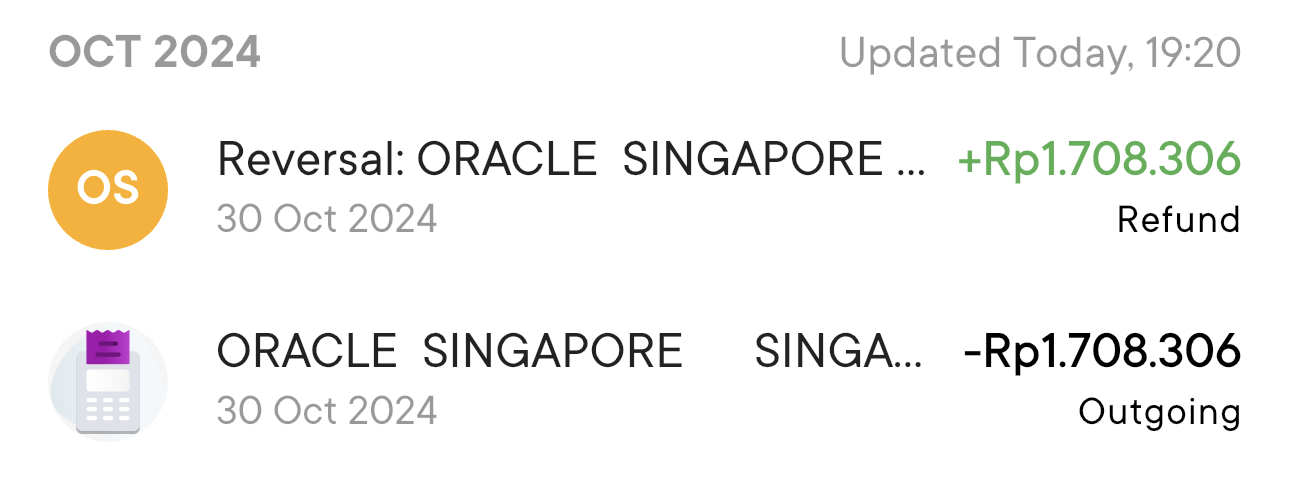
After the upgrade, the capacity error is gone and I could create the instance right away. As a bonus, Oracle also will not reclaim your instance for being idle, which they sometimes do to Free account. That alone is already making me feel better about the upgrade, even though I’m still not sure about the long term.
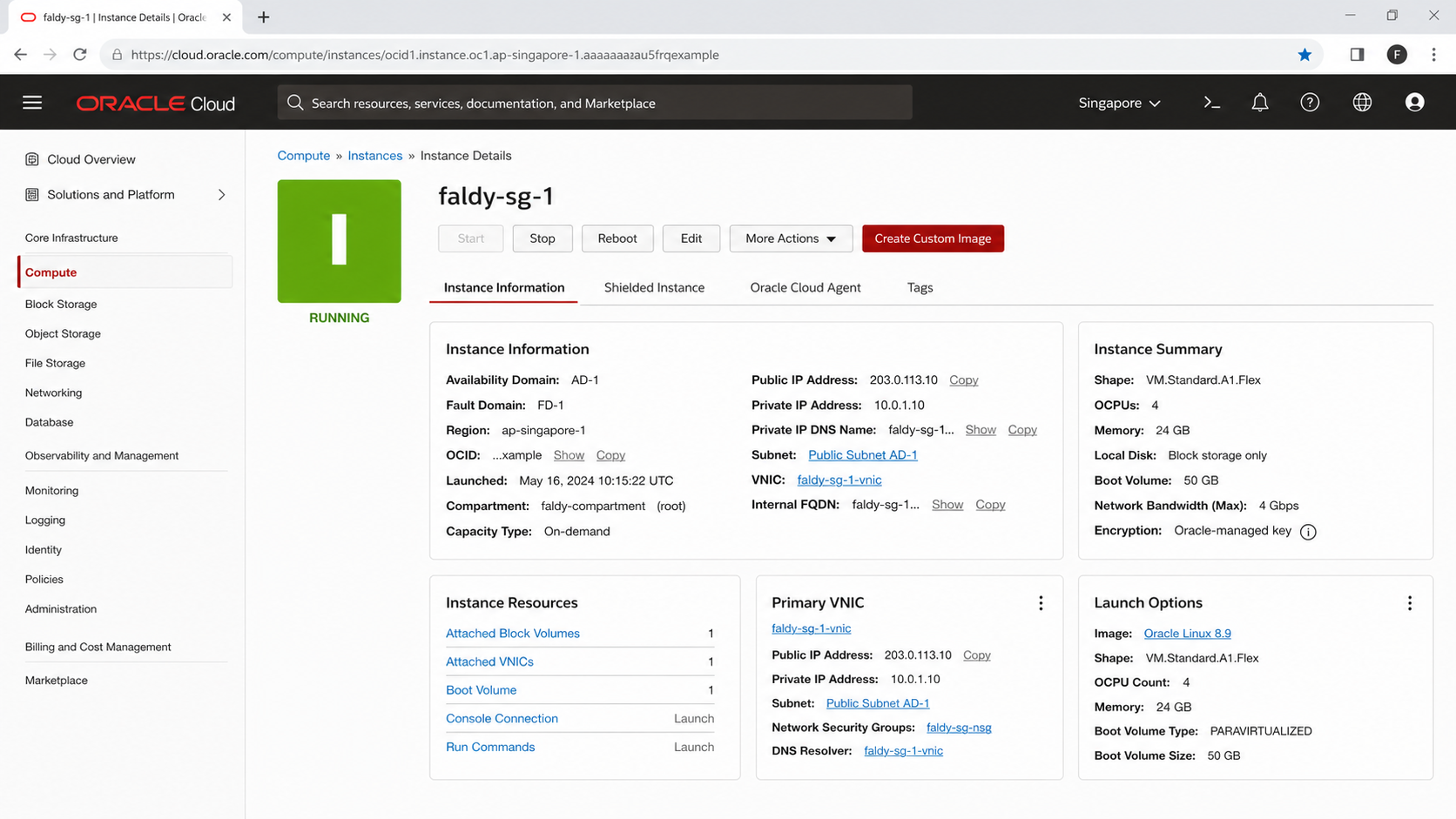
The migration weekend
All my services are already running with Docker Compose, so the migration is mostly copying the compose files and volumes over with rsync, then pointing the DNS records to the new IP. Pretty boring, in a good way.
One thing I notice though, this instance is ARM64. Most popular images already have ARM builds nowadays, like Dify that I use for my LLM workflow experiments. But some smaller project only ship amd64 image, so I have to check my stack first before committing the move. Lucky for me everything I was running already support ARM.
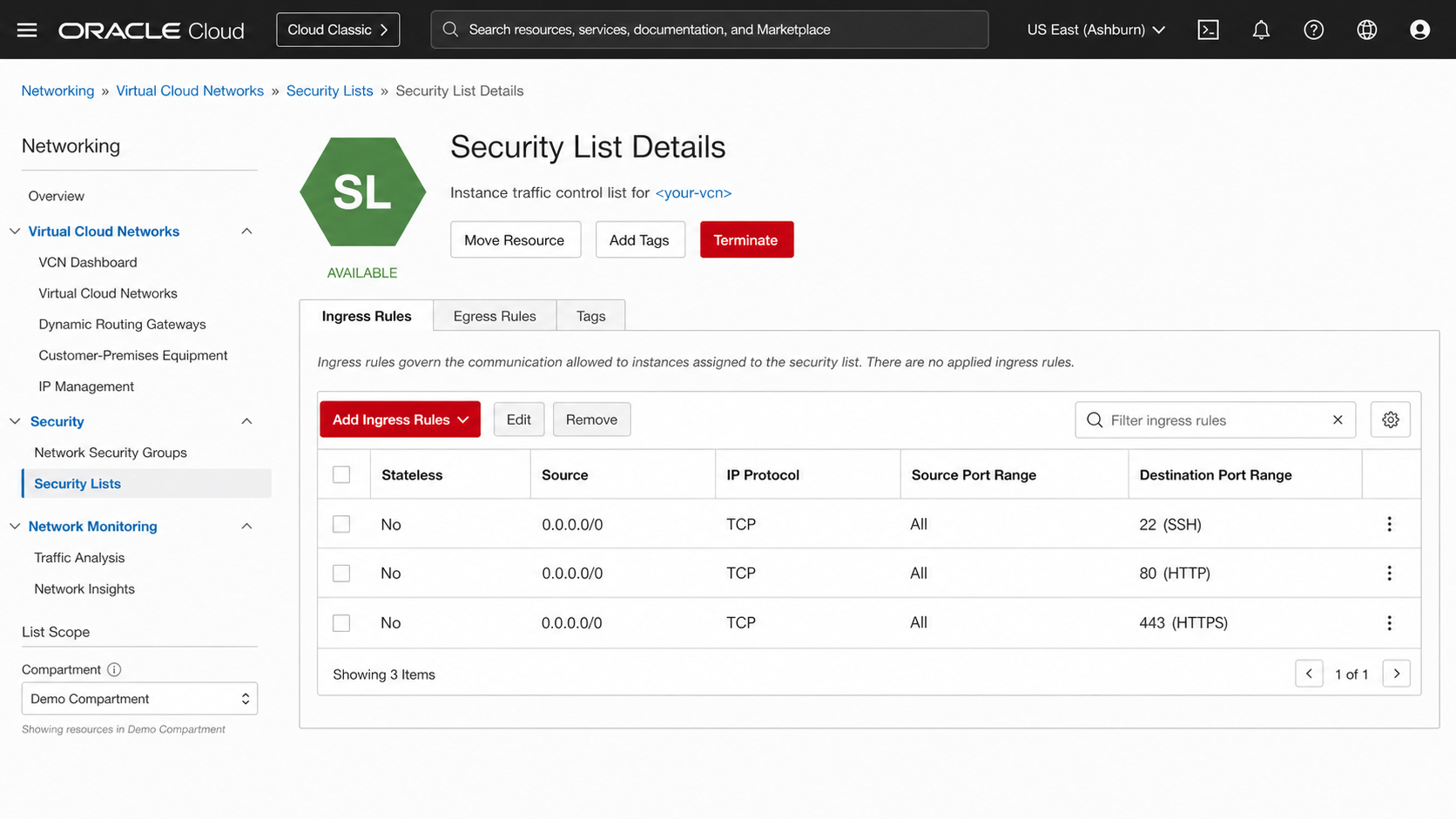
Another confusion is the firewall. Oracle’s real firewall is on the cloud side, called Security List in the web console, not only iptables inside the VM. I was tinkering around for embarrassing amount of time wondering “why are my ports not open?” haha. I need to add ingress rule on the Security List too, not just opening port inside the VM.
Was it worth it?
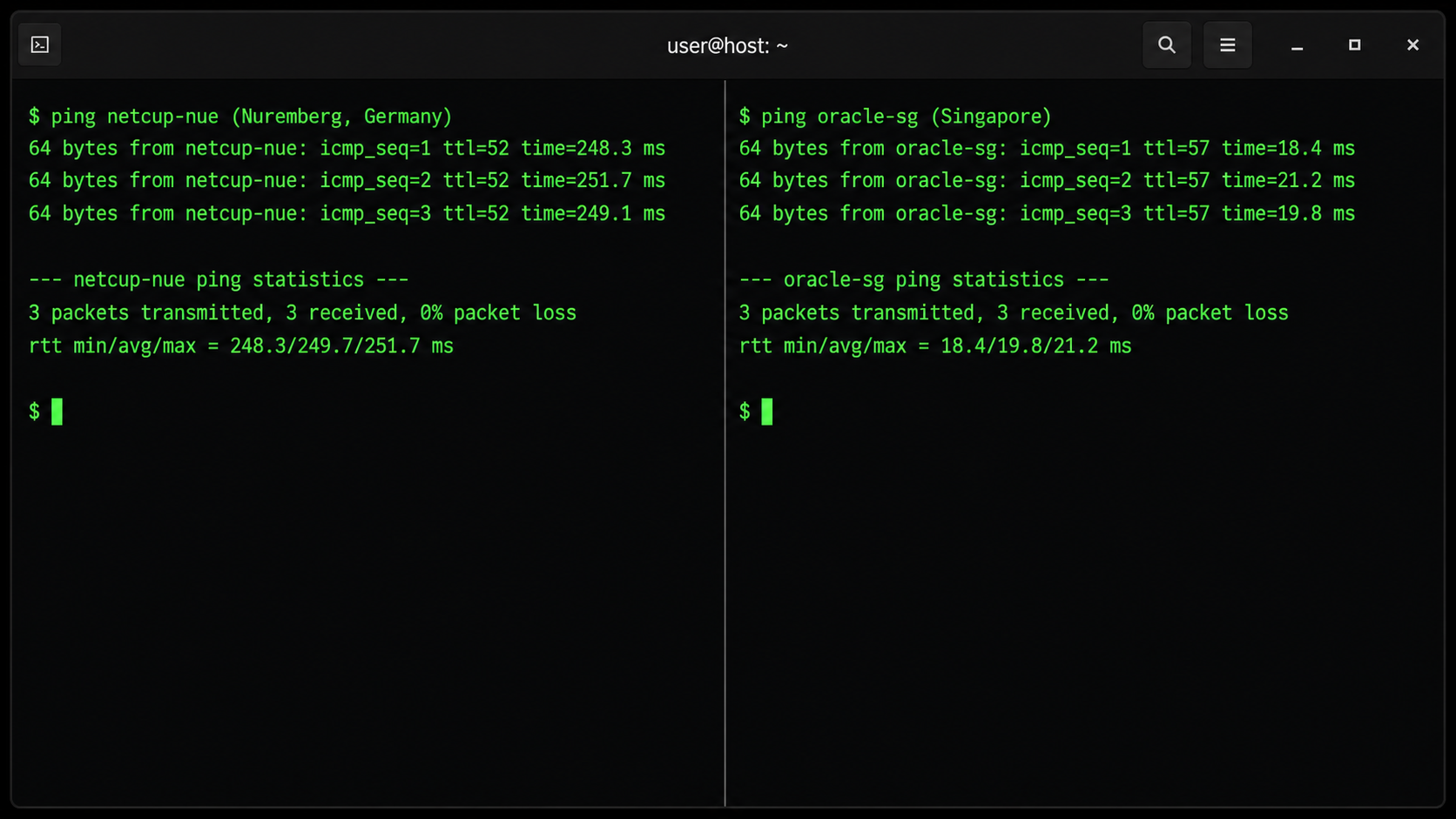
After everything moved, the difference is really noticeable. Pinging the server from my home is now around 20ms instead of ~250ms to Germany. Every dashboard opens instantly. It feels like the services are running inside my house again.
Let me compare:
- Before: €5.26/month, datacenter in Germany, small specs
- After: $0/month, Singapore datacenter, 4 cores and 24GB RAM
So yeah, I already cancelled my netcup subscription. If you are a developer that wants a free server for playing around, self hosting, side project, or just learning Linux, I think it’s worth to give it a try. Just understand the Always Free limits first so you don’t get surprise bill.
Thank you for reading if you have been reading until now. See u again in my next story.