Easily Find Missing and Different Environment Variable Values

A simple Node.js CLI tool to compare environment variable files across different environments and identify missing or mismatched values.
When working with multiple environments and concurrent projects, tracking changes to environment variable files becomes challenging. Consider having 10 development environments across different projects. When a project reaches master and syncs back to development branches, manually updating git-ignored environment variable files across each environment proves tedious.
The Solution
An automated script addressing this problem would be ideal. However, if environment variable files are already disorganized, such as missing variables in environment A for project B due to weeks of disuse, how can you identify these gaps against a reference file?
I created env-diff, a Node.js-based tool. You can download pre-built executables for your OS from the releases page or compile it yourself.
Usage
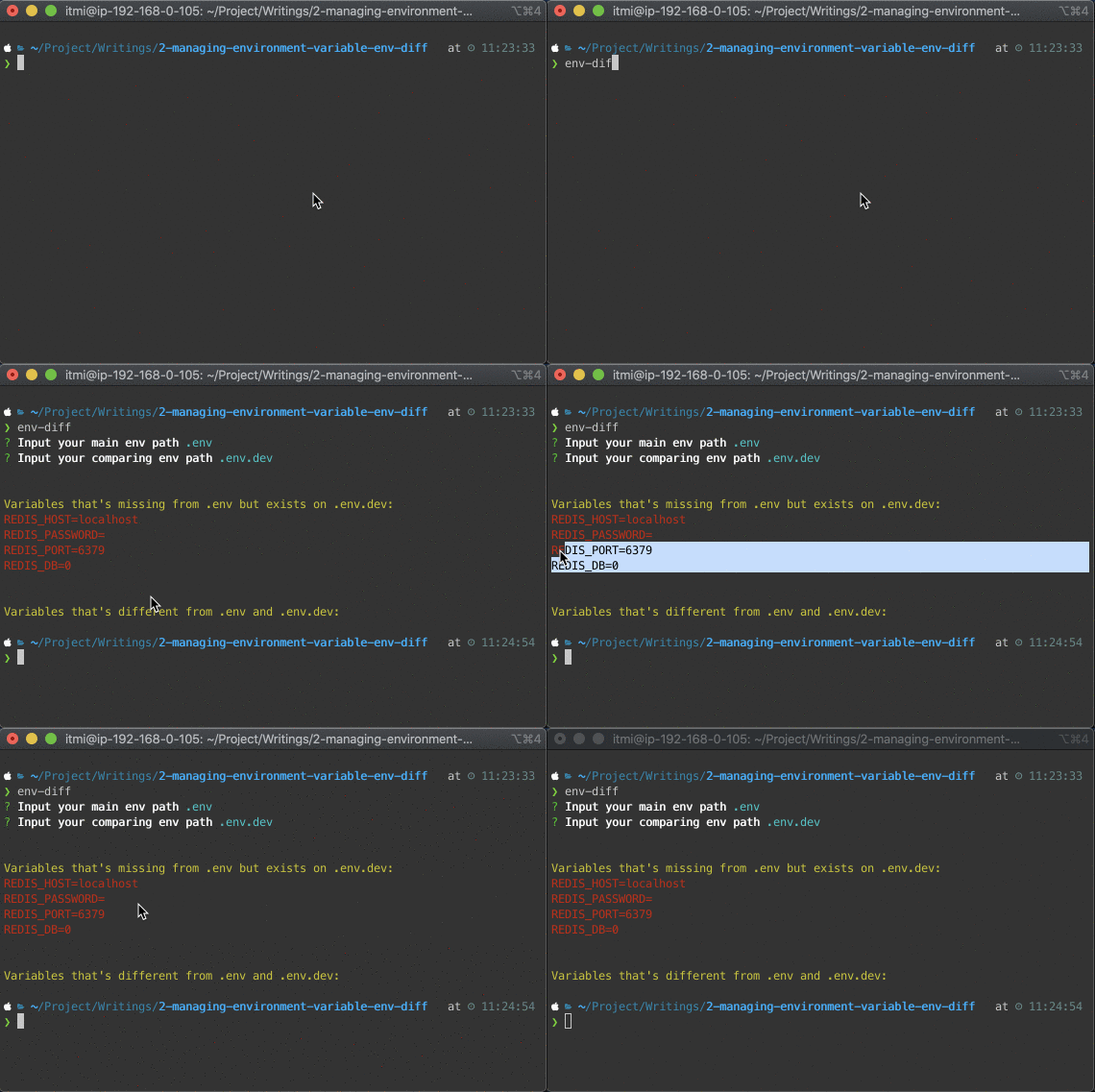
After extracting the executable and adding it to your $PATH, run env-diff in your working directory. The tool prompts for your current environment variable file path and a reference environment file path. It then displays missing or different variables between files, which you can copy into your existing file.
Simple and Effective
env-diff is a straightforward tool that gets the job done. It’s perfect for quickly identifying missing or different environment variables, saving you time and effort.
Limitations and Future Improvements
The script performs basic comparison only, lacking features like variable reordering or file structure considerations. Variables appearing mid-file require manual placement for neat organization.
As open-source software, community contributions are welcomed to enhance functionality.